Fast billing
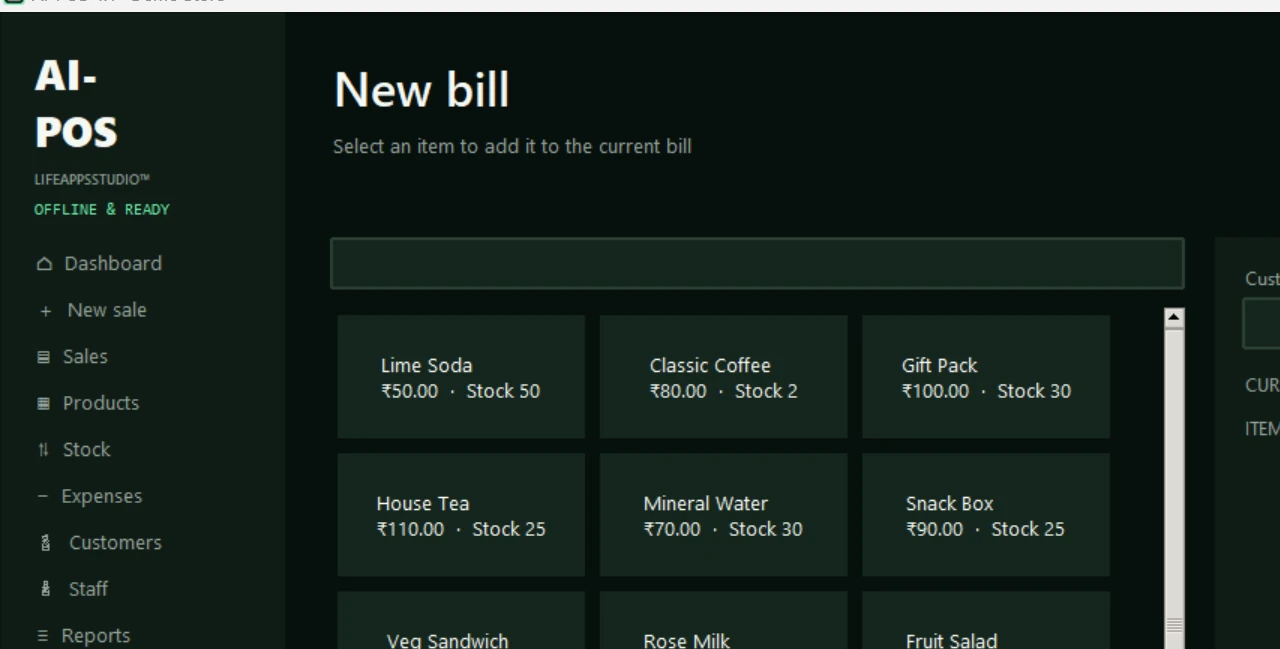
Search or tap products, change quantities, apply a discount, take payment and print immediately.
- Cash, UPI and card payments
- Hold and resume bills
- Customer name and phone
- Pay, save and print in one flow
 Life Apps
Complete billing, products, stock, customers, staff, printing and offline AI reporting for retail stores, cafés, salons and service businesses.
Large controls and short workflows help staff work quickly, while the owner gets useful records and comparisons.
Search or tap products, change quantities, apply a discount, take payment and print immediately.
Add and maintain a large product or service catalogue inside the application.
See available quantities and record every purchase, wastage or manual correction.
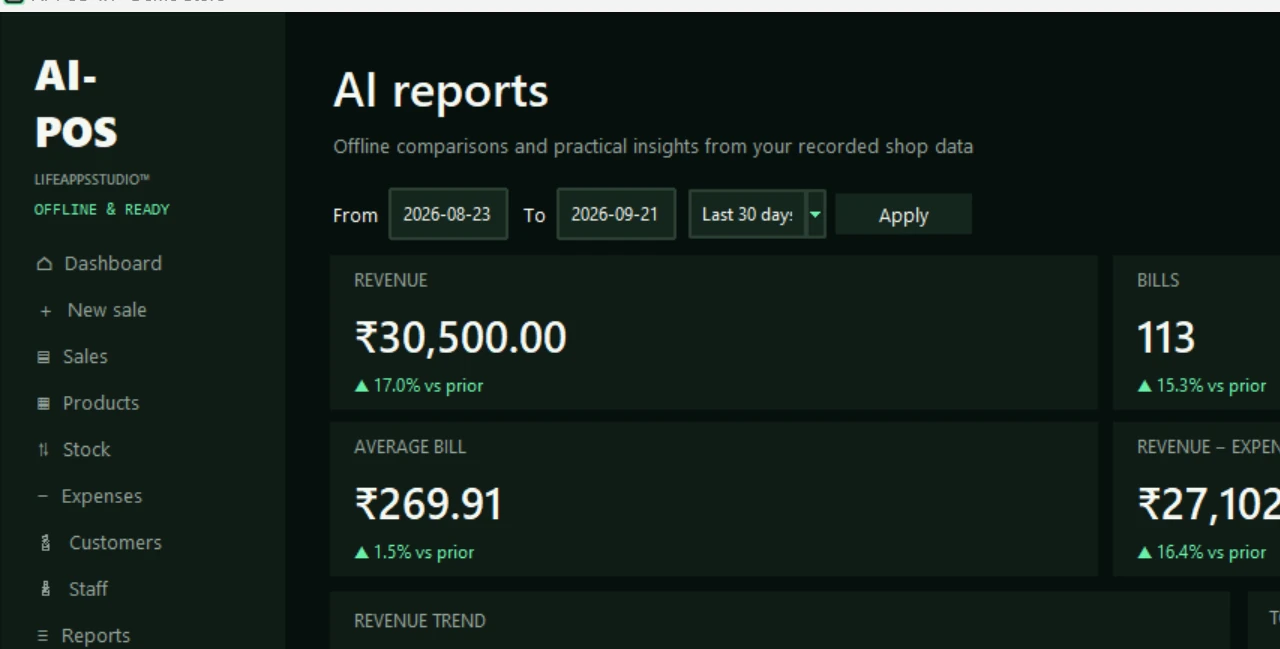
Compare date ranges and surface useful patterns without uploading business data.
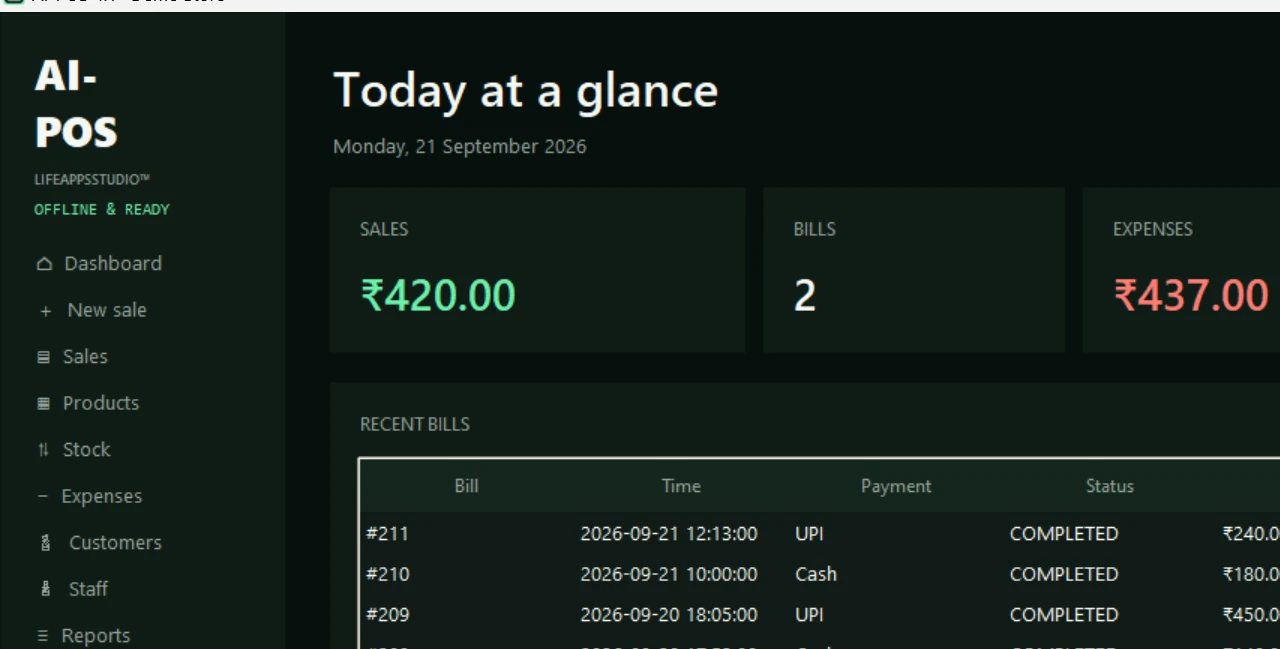
Review every bill, record operating expenses and understand the actual business result.
Maintain customer records and identify transactions by the staff member who handled them.
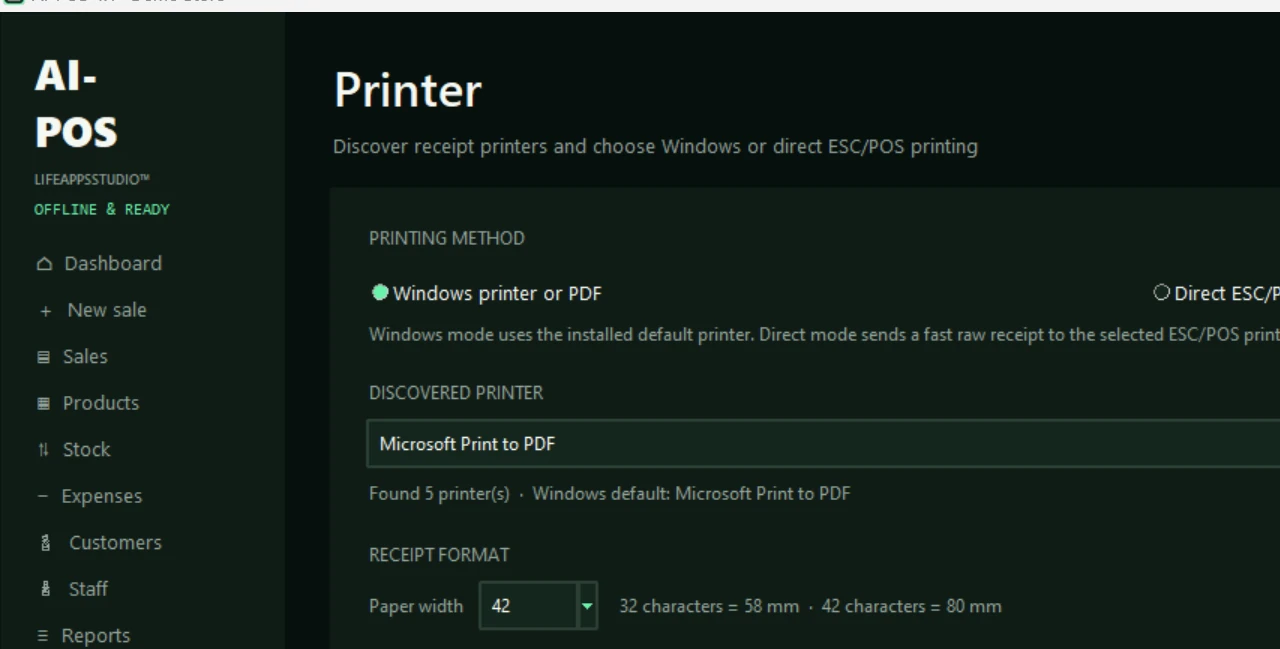
Discover installed printers, preview receipts and print through Windows, PDF or direct ESC/POS mode.
Your records stay on your Windows computer and can be copied or restored whenever you choose.
These screens come directly from the current Windows application with demonstration sales data.
Install through Microsoft Store, then activate one Windows device using the license issued after Razorpay verifies payment.
AI-POS keeps daily work familiar and gives the owner a clear view of business activity.
Sign in with your staff PIN and check today’s dashboard.
Bill quickly, print receipts and record the payment mode.
Add purchases, expenses, wastage and stock corrections.
Compare sales, expenses, products and payment trends in AI Reports.
Lifetime access on your licensed Windows device. No monthly or yearly subscription.
Install AI-POS free from Microsoft Store, then pay once to activate lifetime access on one Windows device. Your signed license is available after Razorpay verifies payment.
Install from Microsoft Store ↗Ask for a demo first →Windows 10 or Windows 11 · Recommended 4 GB RAM or more · Compatible Windows receipt printer for physical printing · Internet is needed to activate and periodically validate the license
AI-POS can be configured for retail stores, cafés, bakeries, salons, service counters and other businesses that need straightforward billing, products, stock and reports.
No. AI-POS is a one-time purchase with lifetime access on one licensed Windows device. The Microsoft Store installation is free; the license is purchased from Life Apps Studio through Razorpay.
Yes. Billing, receipts, products, stock, expenses, standard reports and AI reports run locally. Internet is required for activation and periodic license validation, with an offline grace period.
AI-POS discovers installed Windows printers and supports Windows, PDF or direct ESC/POS printing with 58 mm and 80 mm receipt layouts.
Choose a preset or custom date range to compare revenue, bill count, average bill and revenue after expenses. It also charts revenue trends, top products and payment mix, then highlights busy hours and low stock.
Data is stored locally on your computer. You can create backup files and copy them to another drive for safekeeping.
Message Life Apps Studio to discuss your Windows computer, products or services and receipt printer.
Message us on WhatsApp ↗